
THE TELEGRAM BOT AD FORMAT
Your offer. Inside a Telegram bot conversation.
Place an ad message in participating Telegram bots and give people a useful next step: open your website, start your bot or explore your channel.
Plan your Telegram adEstimate your budget before signing up.
BUILD THE MESSAGE
An ad people can understand in a glance.
AdHub delivers your message inside participating bot conversations. You prepare the creative and destination; the campaign defines its audience and delivery settings.
An offer with a clear benefit
Lead with what someone can do or get. In the Pocket Plan example, the promise is a simpler weekly plan. The message gives people enough context to decide whether to continue.
Media that explains the offer
Add an image or video when it helps demonstrate your product. Keep the essential promise in the message text so the invitation still makes sense before someone examines the media.
A button with a destination
Match the caption to the next action: open a planner, try an exercise or explore a channel. The destination should deliver on the same promise as the message.
Ads appear in participating bots. You select an audience group; individual named bots are not selectable placements.
FOR MOBILE-FIRST PRODUCTS
Make the landing page continue the conversation.
A visitor arrives from a short message on their phone. Keep the offer recognisable and make the next action easy to find.
Keep the same promise
If the ad offers a weekly planner, open the planner or a page that explains that exact task. Carry the offer into the page heading instead of asking visitors to find it across a general product website.
Make the first action manageable
Check the page in a mobile browser: text size, loading, forms and the next button. Ask for the information you need for that step. Test the actual destination before launching.
Connect visits to useful actions
Use campaign-specific UTM parameters on your website link and record the action you care about in your own analytics, such as a completed plan or sign-up. AdHub delivery counts describe technical sends.
INSIDE ADHUB
Check the message before it goes out.
The real ad editor brings your text and button together in a Telegram-style preview. Create your own version after signing in.
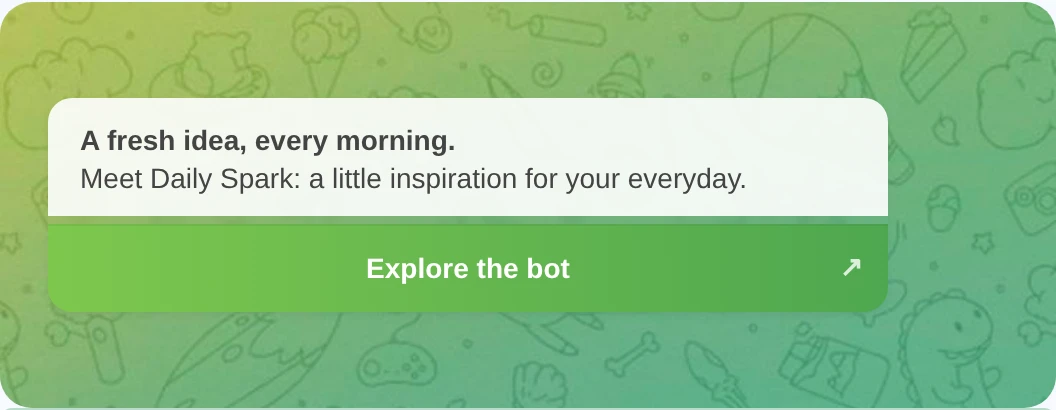
Review the whole invitation
Read the headline, body and button together. Check line breaks, the media you selected and the destination URL. A preview is a chance to spot a mismatch before creating the campaign.
Choose the delivery plan
Use the calculator to explore an audience, budget and CPM. CPM is priced per 1,000 successful technical sends. After signing in, prepare the ad, review your campaign and confirm launch.
YOUR NEXT STEP
Turn your offer into a Telegram ad.
Choose an audience and see what your budget could deliver. Then prepare the message that takes people to your next step.
Plan your Telegram adPlan now. Sign in to create and preview your ad.