
AUDIENCE / BROAD REACH
Take a clear offer to a broader bot audience.
Explore the wider eligible audience across participating Telegram bots. Broad reach gives you a starting point for an offer people can understand without a narrow interest filter.
Estimate Broad reachEstimate your budget before signing up.
HOW BROAD REACH WORKS
Across the participating bot network
START WITH THE OFFER
When a broad audience fits the question.
Broad reach is the public name for All Users. It refers to eligible recipients in the participating bot network, subject to campaign and delivery rules.
The value is easy to recognise
A simple planning tool, a useful bot or a channel with a clear topic can explain its next step in a short message. Check that the invitation makes sense without detailed background about the recipient.
The destination works on a phone
Open the exact destination and follow the first action. Make the message and destination agree on what happens next, whether that is trying a bot, reading a channel or using a website.
You can learn from the response
Choose an outcome to measure at the destination. A broad test can help you learn about an offer, but its results alone will not tell you which interest or geographic segment responded.
All Users does not mean every Telegram user, a count of unique people or reserved inventory. Narrow geographic and interest targeting is not available in this workflow.
TWO DIFFERENT STARTING POINTS
Broad reach or Recently active?
Choose the audience attribute you want to explore. A different selection changes campaign settings and available recipients; it does not establish which will convert better.
| Decision | Broad reach | Recently active |
|---|---|---|
| Audience definition | The wider eligible bot audience | Eligible users within a chosen activity window |
| Activity window | No recent-activity window chosen here | 24 hours, 3 days, 7 days or 30 days |
| Useful test question | How does this offer perform across the broader eligible network? | How does this offer perform for a chosen recency window? |
| Budget planning | Use the All Users CPM settings | Use the CPM settings for the selected window |
| Measurement | Your own downstream actions alongside AdHub sends and spend | The same outcome definition, recorded separately |
PLAN YOUR FIRST BROAD TEST
Connect the budget to a delivery estimate.
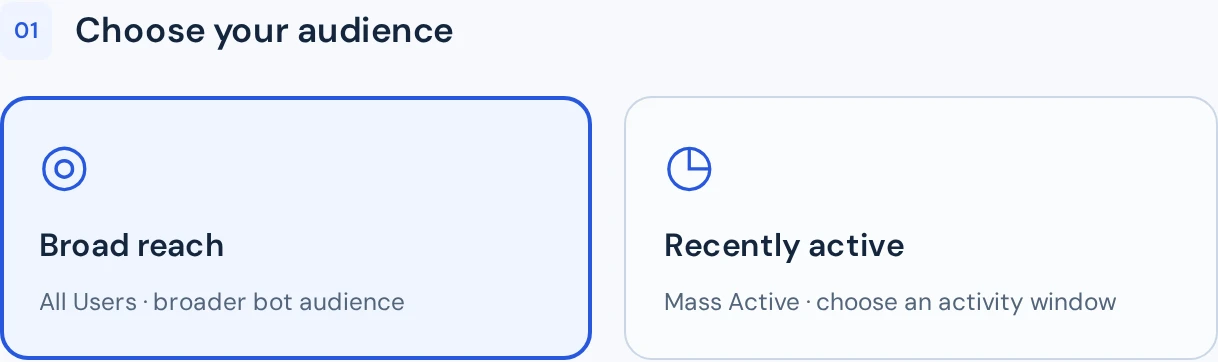
The calculator opens with Broad reach selected. Adjust budget and CPM to see the estimated successful sends, then continue when the plan fits your test.
Understand the arithmetic
The estimate is approximately budget ÷ CPM × 1,000, rounded to the campaign’s sending units. CPM is the price per 1,000 successful technical sends; those sends are not verified views or clicks.
Write down the conditions
Keep the creative, destination, budget, CPM and measurement period with your test record. When comparing audiences, keep the offer consistent so there is a clear question to investigate.
Review actual delivery
Approval, eligible recipients, competition and balance affect delivery. The estimate does not reserve audience or guarantee a completion time. Follow the campaign’s status and spend after launch.
YOUR NEXT STEP
See what a broad test could look like.
Set a budget and CPM, review the estimated sends and prepare an offer with an easy next step.
Estimate Broad reachPlan now. Sign in to create and preview your ad.