
PLAN YOUR CAMPAIGN · 4 MIN READ
Choose an audience and estimate your budget
The calculator uses the platform's audience and CPM settings to estimate how many successful sends fit your budget. You can change the inputs without registering or paying.
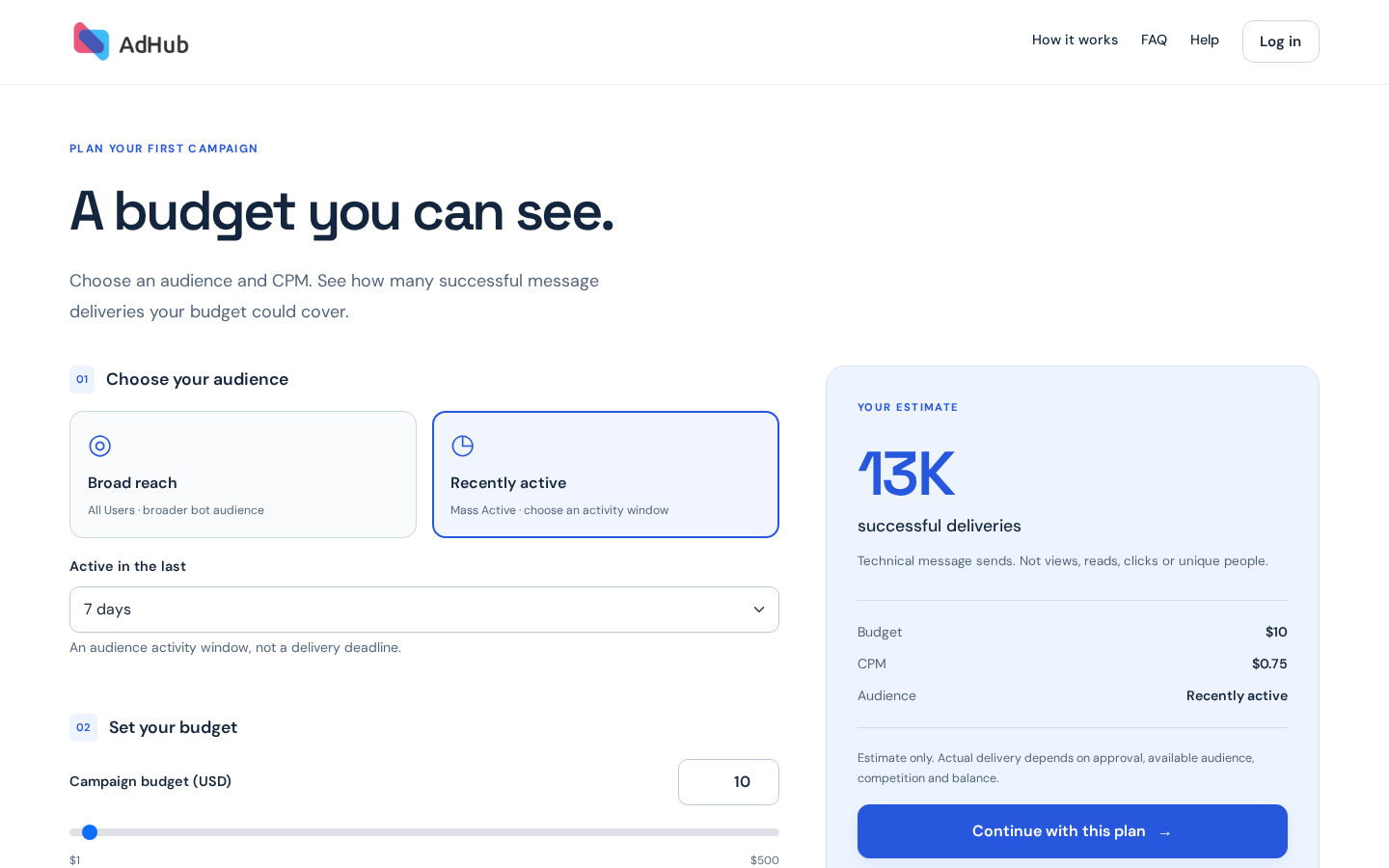
Broad reach — All Users
This option uses the broader eligible audience of participating bots. All Users does not mean every Telegram user. Eligibility, available recipients and campaign rules still apply.
Recently active — Mass Active
Choose activity in the last 24 hours, 3 days, 7 days or 30 days. These are audience activity windows. A 24-hour window is not a promise to finish delivery within 24 hours. Premium 24h and All Premium are separate options in the account.
What CPM means
CPM is the price per 1,000 successful message deliveries. The estimate is approximately budget ÷ CPM × 1,000, rounded according to the campaign's sending rules. A successful delivery records a technical send. It is not a view, read, click, unique person or conversion.
What an example budget means
The calculator opens with an illustrative $10 budget. This is not a minimum deposit. Payment providers can have their own limits and fees, which you should review during top-up. The estimate does not reserve inventory or guarantee results.
Try the calculator →Simple and Expert modes
Simple focuses on audience, budget, CPM and estimated deliveries. Expert expands the same form with CPM presets, an assumed conversion rate and a suggested setup with a comparison. The result card adds estimated new users and acquisition cost. Your audience, budget and CPM controls stay in place, and switching modes keeps your settings. This browser remembers your chosen mode; a mode specified in a calculator link takes priority.
Explore an acquisition scenario
In Expert mode, conversion is your assumed number of new users per successful delivery. For example, 0.5% means 5 new users per 1,000 deliveries. Estimated acquisition cost is budget divided by estimated new users. These are calculations from your assumption, not measured conversion or a guarantee. Low, Medium and High are example scenarios, not performance benchmarks.
Explore Expert mode →Compare before applying a suggestion
Suggested setups use your budget and conversion scenario. Each option shows its own audience, budget, CPM, assumed conversion and results. Apply a suggestion only if its assumptions suit your test: applying it changes audience, CPM and conversion, while keeping your budget. Continue with this plan saves the same campaign settings in either mode; the assumed conversion does not become a campaign target.