
FUND AND LAUNCH · 4 MIN READ
Add funds and launch your campaign
Funding and launching are separate actions. Keep your campaign settings nearby and review them before you create or enable a campaign.
Review before paying
Check your audience, ad, sending limit and CPM in the campaign form. If automatic CPM is enabled, also check its maximum and the corresponding potential cost. Do not assume the original calculator estimate is a fixed price after changing settings.
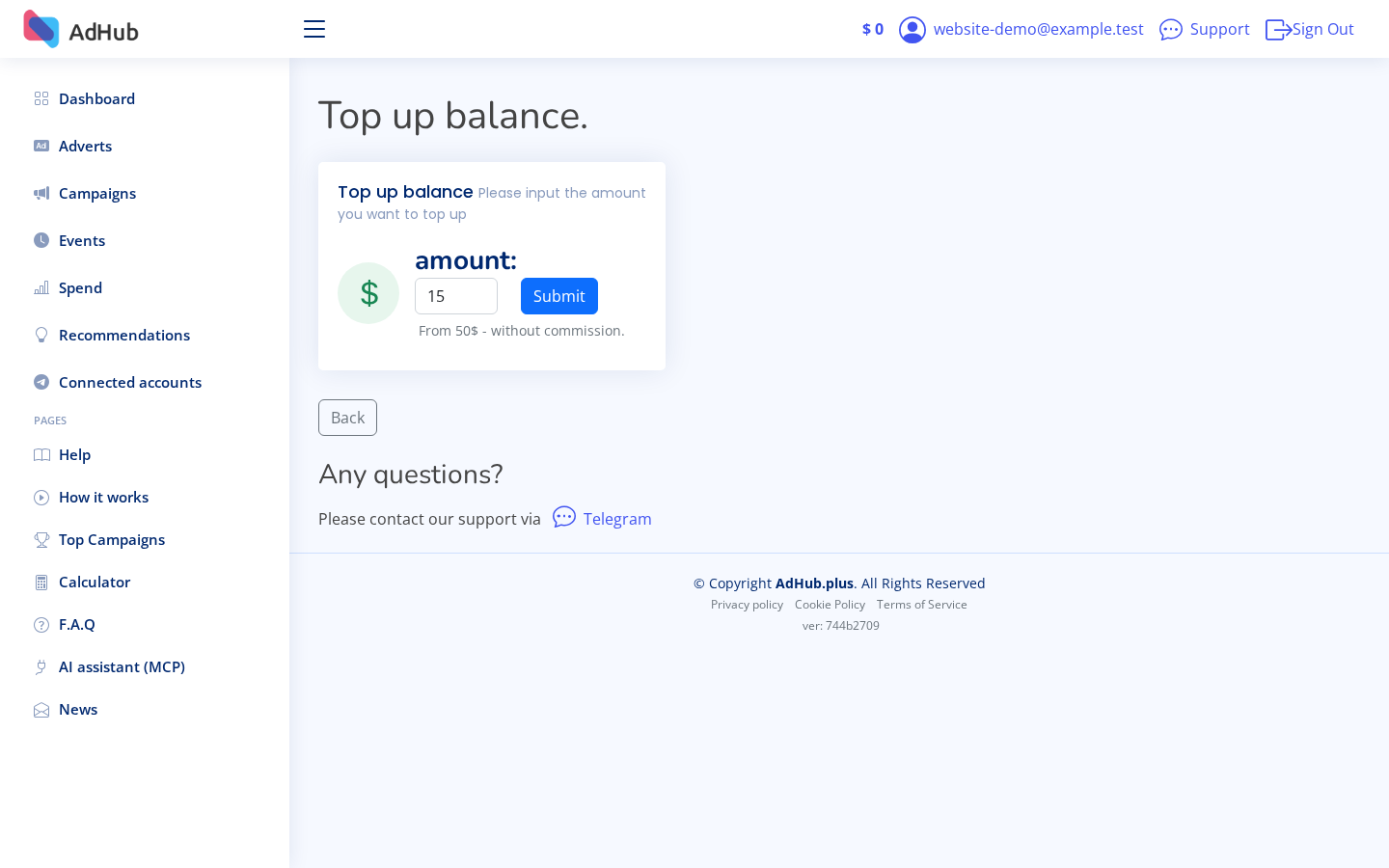
Open Top up balance
Enter the amount and review the payment provider's available methods, limits and fees. Requesting an invoice starts a payment flow; it does not confirm that funds have arrived. The calculator's example budget is not a deposit requirement.
Top up balance →Check the credited balance
After returning from the payment provider, check the balance in your AdHub account. Credit follows the provider's confirmed payment notification and may take time. Do not pay again just because the return page appeared before the balance updated.
Confirm the campaign
Return to your campaign plan, check the final settings and select Create Campaign. This explicitly creates and enables the campaign; delivery is subject to approval, available audience, competition and balance. Adding funds alone does not create a new campaign. Existing enabled campaigns may resume delivery when sufficient funds become available.