
AFTER LAUNCH · 4 MIN READ
Understand campaign status and results
Use the campaign page to understand what has happened and what may be holding delivery back. The screenshots in this help centre use controlled test data, not customer results.
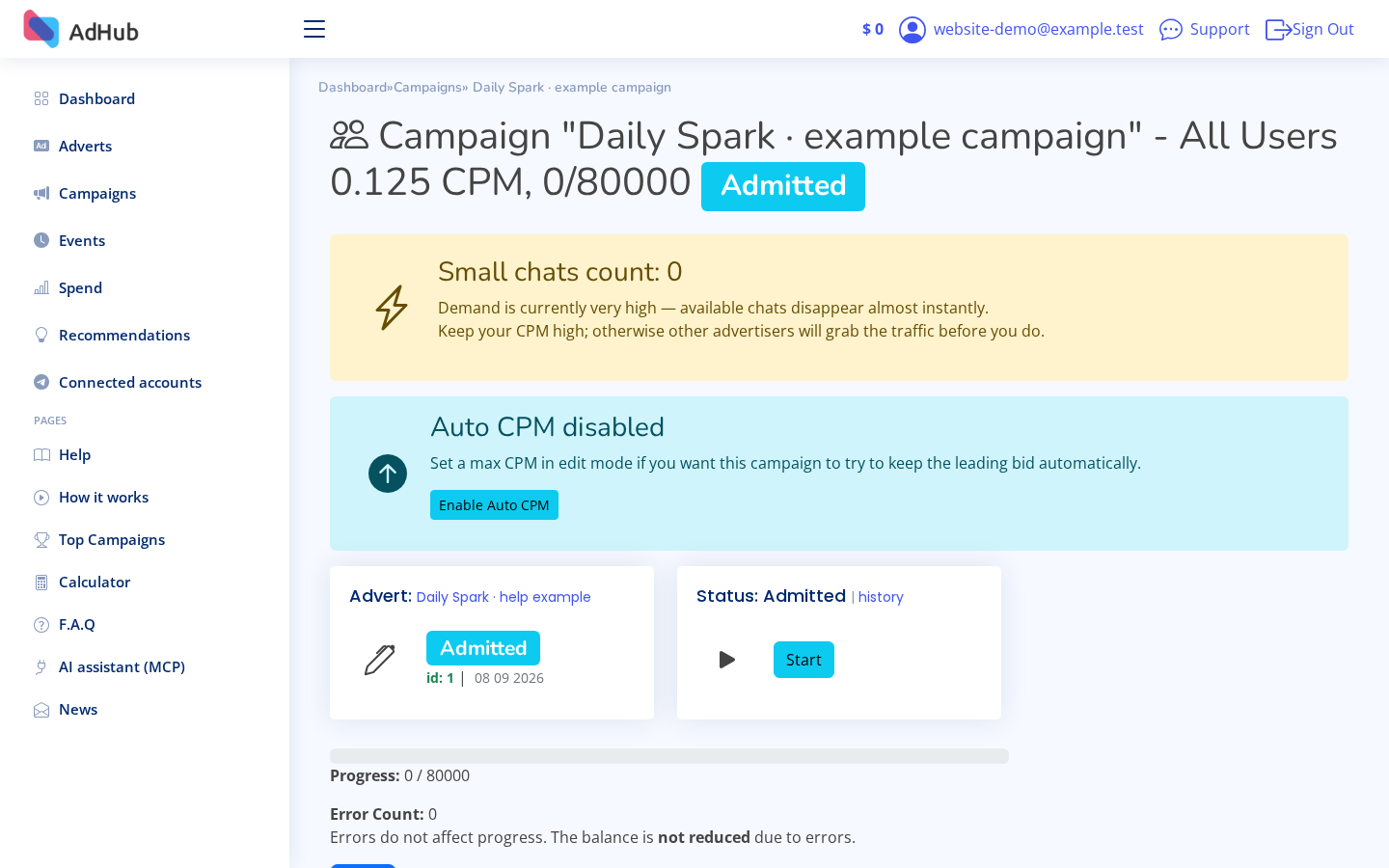
Start with status and events
Open Campaigns and select your campaign. Check whether it is enabled, whether its ad is approved and what recent events report. Enabled means it can participate in delivery; it does not guarantee an immediate send.
Open campaigns →Read deliveries correctly
Successful deliveries count technically sent messages. They are not confirmed reads, views, clicks, unique people or customers. The sending limit sets a delivery target; actual progress depends on the campaign's conditions.
Understand spend
Review recorded spend alongside successful deliveries and your current CPM settings. Account spend can include several campaigns. For business results such as purchases or sign-ups, use your own destination analytics and avoid treating a delivery count as a conversion count.
When delivery is waiting
Check ad approval, balance, eligible audience and auction competition. Review CPM guidance before changing your bid, and consider the cost. The campaign may wait even when you have funds; increasing the bid does not guarantee an immediate start or a completion deadline.