
START HERE · 3 MIN READ
Send yourself a free Telegram test ad
A test sends your example to your own private bot chat. It does not create an account, launch a campaign or charge your balance.
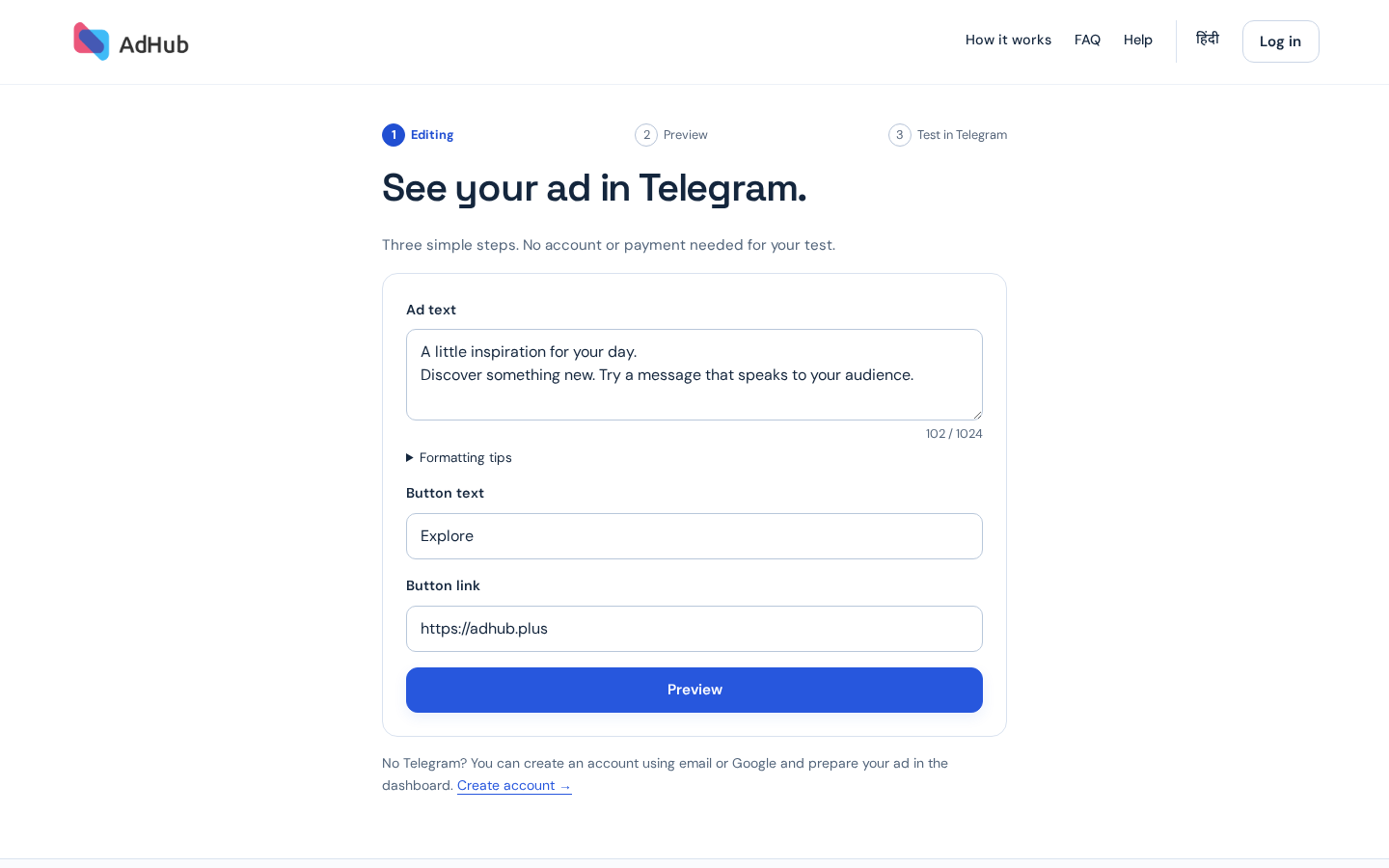
1. Edit the example
Open the public test editor, change the text and optional button, then choose Preview. Simple HTML formatting and HTTP/HTTPS links are supported. The photo caption has a 1024-character limit. The picture is a fixed example in this version.
Send Test Ad →2. Preview your ad
Check the Telegram card and example picture. Back to editing keeps your changes. Choose Send Test Ad when ready.
3. Open Telegram and tap Start
Choose Send Test Ad, open AdHubPlusBot and tap Start within 15 minutes. The test is sent through a private chat. If the result is unknown, check the chat before creating another test; we do not automatically repeat an uncertain send. If the bot is blocked, unblock it first. You can block the bot in Telegram at any time.
Save with the same Telegram identity
Choose Save my ad in the bot or on the status page. Verify the same Telegram identity that received the test, enter the code received privately from the bot in the browser where you started signing in. One confirmed account opens directly; several accounts require a choice. A shared continuation link alone cannot log someone in or import the ad.
4. Save and finish your ad
Create an account after accepting terms, or use an existing verified account. Choose Save this ad in my account. You can edit it, replace or remove the example picture, and review a campaign separately. The guest creative is kept for seven days. Saving does not launch a campaign or bypass moderation.
No Telegram or no access?
Use email or Google registration to prepare an ad in the dashboard. For a Telegram-only account, connect a backup Google account or verified email/password in Profile → Login methods. Never share the code or enter it on a site opened from someone else's message.